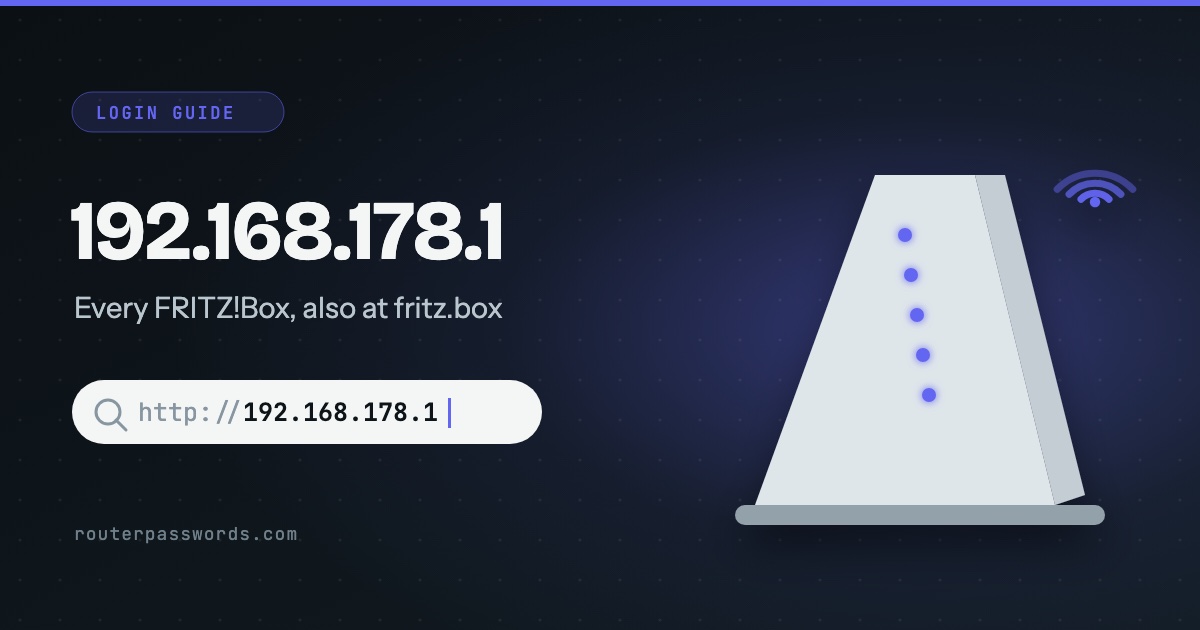
192.168.178.1 is the address of a FRITZ!Box. Every one of them answers on it unless someone has changed it, and every one also answers on the name fritz.box, which is easier to type. The login asks for a single password. It is printed on the label underneath, it is different on every box, and it is not the Wi-Fi key printed beside it.
- Who uses it
- Every FRITZ!Box, including the ones Zen, 2degrees and Tangerine supply.
- Easier to type
http://fritz.box- Username
- None, unless someone has set up named users.
- Password
- The FRITZ!Box password on the type label underneath.
How to log in at 192.168.178.1
fritz.box.- Connect to the FRITZ!Box. Join its Wi-Fi or plug in a cable. Not the guest network: FRITZ! keeps guest and hotspot devices away from the settings.
- Type the address in full. Enter
http://fritz.boxorhttp://192.168.178.1. Typed withouthttp://, some browsers search the web for it instead. - Enter the FRITZ!Box password. Turn the box over. The label carries the Wi-Fi key and, separately, the FRITZ!Box password. You want the second.
- Pick the user if asked. If someone has created named FRITZ!Box users, the login shows a user name as well. Choose yours.
Which providers use 192.168.178.1
The address belongs to the box, not the provider, so any FRITZ!Box behaves the same way. In our database:
Router and network makers (1)
Internet providers (2)
Some of these also answer on a name you can type instead of the number. AVM: fritz.box; 2degrees: fritz.box.
Tangerine in Australia has also supplied the FRITZ!Box 7530, alongside its NetComm modems on 192.168.20.1.
Login by who supplied the box
| Supplied by | Username | Password |
|---|---|---|
| Bought from a shop | None asked | FRITZ!Box password on the type label |
| Zen (UK) | None asked | FRITZ!Box Password on the label underneath |
| 2degrees (New Zealand) | None asked | FRITZ!Box password on the base of the 7530 |
| Tangerine (Australia) | Tangerine’s guide gives admin |
At the bottom of the sticker on the 7530 |
Zen customers often try the zen123456@zen style username from their welcome email. That is the broadband login, which goes in later under Internet. It is not the router login.
The password is refused
The label only ever shows the original. If someone changed the password, the label is no help, and FRITZ! says there is no way to read a changed password back out of the box. There are two ways in.
1. The password reminder email
On the login page, click Forgot your password?. If a Send push service mail button appears, the reminder service was set up earlier: click it, open the email on the same device, and follow the link to set a new password. No button means the service was never set up, so go to the second way.
2. Back to factory settings
- Unplug the FRITZ!Box from the power. Wait a minute and plug it back in.
- Within the next 10 minutes, open
http://fritz.boxfrom a device on its Wi-Fi or a cable. - Click Forgot your password?, then Restore factory settings.
- When it comes back, log in with the password on the label and set the box up again.
Both routes only work from inside your home network. If you restore a saved settings file afterwards, choose the settings by hand and leave out FRITZ!Box user, or the forgotten password comes back with it.
fritz.box will not open
- Try the emergency address.
http://169.254.1.1reaches the FRITZ!Box from a computer plugged into one of its LAN ports, even when its normal address has been changed. - Turn off the VPN. A VPN sends everything, fritz.box included, out of the house.
- Restart the box. Unplug it for about 5 seconds. Settings are kept, and it takes around 2 minutes to come back.
- Try another device. If a second phone or laptop gets in, the problem is the first one’s network settings. It should obtain its address automatically.
For the less obvious causes, see why the router page will not load when the internet works fine.
Other common router addresses
Addresses with a guide of their own are linked.
| Address | Typically | Used by, in our data |
|---|---|---|
192.168.1.1 | The most common address | Linksys, ZyXEL, DrayTek, Westell, Vodafone, PLDT, Converge, TalkTalk and 39 more |
192.168.0.1 | The second most common | NETGEAR, D-Link, TP-Link, Tenda, Sky, Virgin Media, NOW Broadband, Spectrum and 13 more |
192.168.1.254 | Many ISP hubs and gateways | Billion, 2Wire, Netopia, GIGABYTE, BT, EE, Plusnet, AT&T and 6 more |
192.168.2.1 | Belkin and some Canadian providers | Belkin, Edimax, SMC, Deutsche Telekom, Bell, Virgin Plus |
10.0.0.1 | Cable gateways from large ISPs | Xfinity, Rogers, Videotron |
192.168.8.1 | 4G and 5G home routers | DITO, Three, Zong |
192.168.50.1 | Current ASUS routers | ASUS |
192.168.100.1 | Fibre boxes and cable modems | Huawei, ubee, EchoLife |
192.168.3.1 | Huawei home Wi-Fi routers | Huawei |
192.168.178.1 | Every FRITZ!Box | AVM, Zen, 2degrees |
192.168.10.1 | TRENDnet, Wavlink and repeaters | TRENDnet, Wavlink |
192.168.31.1 | Xiaomi and Redmi routers | Xiaomi |
192.168.11.1 | Buffalo AirStation routers | Buffalo |
192.168.88.1 | MikroTik RouterOS | MikroTik |
192.168.178.l and other typing mistakes
The address has 178 in the third place, not 1 and not 17. 192.168.1.178 has the numbers swapped and will be some other device. 192.168.178.l, ending in a letter l, never loads, and fritzbox without the dot finds nothing.
Questions people ask
Is the FRITZ!Box password the same as the Wi-Fi key?
No. Both are on the same label, one under the other, and they are different. The Wi-Fi key lets devices join. The FRITZ!Box password opens the settings. If it is the Wi-Fi key you need, here is how to find it.
Can I open fritz.box on my phone?
Yes, in a browser while the phone is on the FRITZ!Box Wi-Fi. On mobile data it reaches nothing.
Is there a default username like admin?
Not out of the box. The login asks only for the password. A user name appears only if someone has created FRITZ!Box users with names.