This page lists 1 confirmed default credential for Zen equipment.
Entries are reachable over http. All of these entry use a protocol that sends the password in clear text, so use them on a trusted network and change the password once you are in.
| Model | Protocol | Access | Username | Password |
|---|---|---|---|---|
| FRITZ!BOX | HTTP | Admin | leave blank | unique to your unit |
About Zen
Zen Internet supplies FRITZ!Box routers with its broadband.
Reaching the login page
The admin page on most Zen units answers at http://192.168.178.1. If that address does not load, the router is whatever your computer lists as its default gateway — ipconfig on Windows or ipconfig getoption en0 router on a Mac will tell you.
The FRITZ!Box login asks only for a password, the FRITZ!Box Password on the label underneath. The zen123456@zen style username is your broadband login, entered later under Internet, not the router login.
What the Zen router looks like
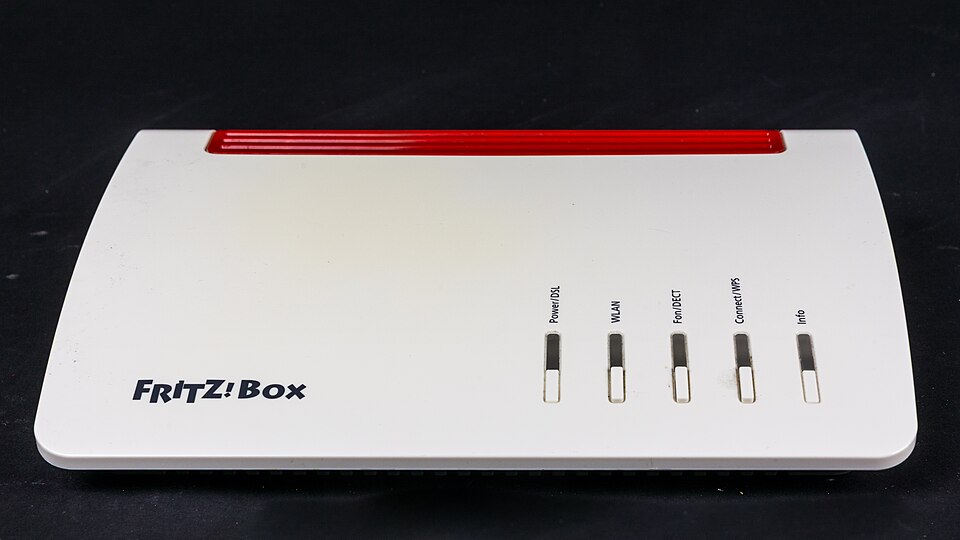
Photo: Raimond Spekking, CC BY-SA 4.0, via Wikimedia Commons
Where Zen prints the admin password
If the Zen password has already been changed
There is a recessed reset button on the back or underneath that needs a straightened paperclip. Hold it in for thirty seconds with the unit powered on. Let go when the lights change pattern, and give it a couple of minutes to come back up.
The catch with an ISP-supplied unit is that a reset also clears the broadband credentials, and on some lines the router will not reconnect until those are re-entered. Find them before you press anything, or be ready to ring the provider.