This page lists 2 confirmed default credentials for Virgin Media equipment, covering 2 models. The pairing you are most likely to need is admin with the password printed on that unit’s own label.
Entries are reachable over http. 1 of these entries use a protocol that sends the password in clear text, so use them on a trusted network and change the password once you are in.
admin| Model | Protocol | Access | Username | Password |
|---|---|---|---|---|
| HUB 3 / HUB 4 / HUB 5 / SUPER HUB 2 / SUPER HUB 2AC | HTTP | Admin | leave blank | unique to your unit |
| NETGEAR SUPERHUB | — | Admin | admin | changeme |
About Virgin Media
Virgin Media supplies the Super Hub and Hub series on its UK cable and fibre network.
Reaching the login page
The admin page on most Virgin Media units answers at http://192.168.0.1. If that address does not load, the router is whatever your computer lists as its default gateway — ipconfig on Windows or ipconfig getoption en0 router on a Mac will tell you.
The Hub asks only for its settings password, printed on the label on the base. That label also carries the Wi-Fi password, which is a different one. In modem mode the address changes to 192.168.100.1 and the same settings password still works.
What the Virgin Media defaults look like
Usernames vary; admin is the one that appears most, on a single entry. One entry asks for no username at all. One of them is reached over a protocol that puts the password on the wire in clear text, so work from a machine on the same wired network rather than across the internet, and change the password once you are in.
What the Virgin Media router looks like
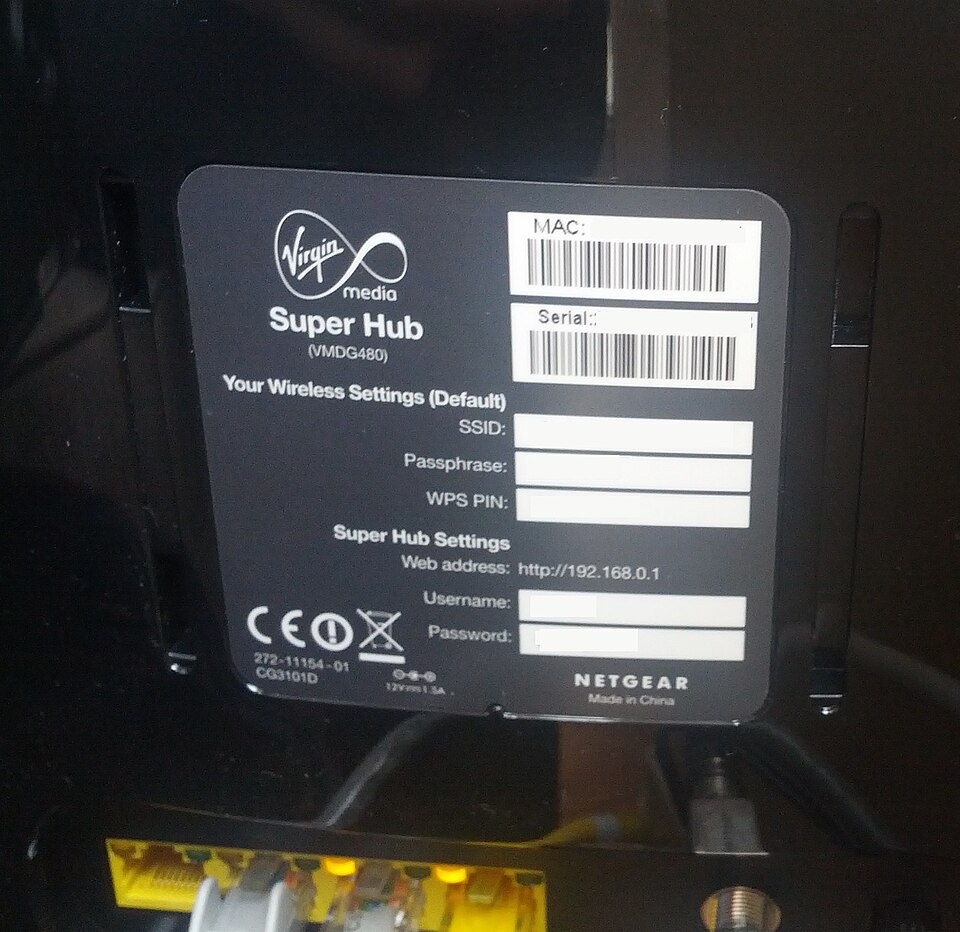
Photo: GR8DAN, CC BY-SA 3.0, via Wikimedia Commons
Where Virgin Media prints the admin password
Virgin Media hub password incorrect
Check you are typing the settings password, not the Wi-Fi password: both are on the base label. If the settings password has been changed and forgotten, the 10-second reset restores the one on the label. On the Hub 3, 4 and 5 you can also manage the Hub from the My Virgin Media app.
The original Super Hub
The older Netgear-built Super Hub listed below predates the label-password Hubs, and its record comes from a reader submission rather than Virgin Media.
If the Virgin Media password has already been changed
With the Hub switched on, press the reset button on the back or base with a pen for 10 seconds, then wait a few minutes until the white power light is solid. The settings password goes back to the one on the label.
The catch with an ISP-supplied unit is that a reset also clears the broadband credentials, and on some lines the router will not reconnect until those are re-entered. Find them before you press anything, or be ready to ring the provider.